What is Device Utility?
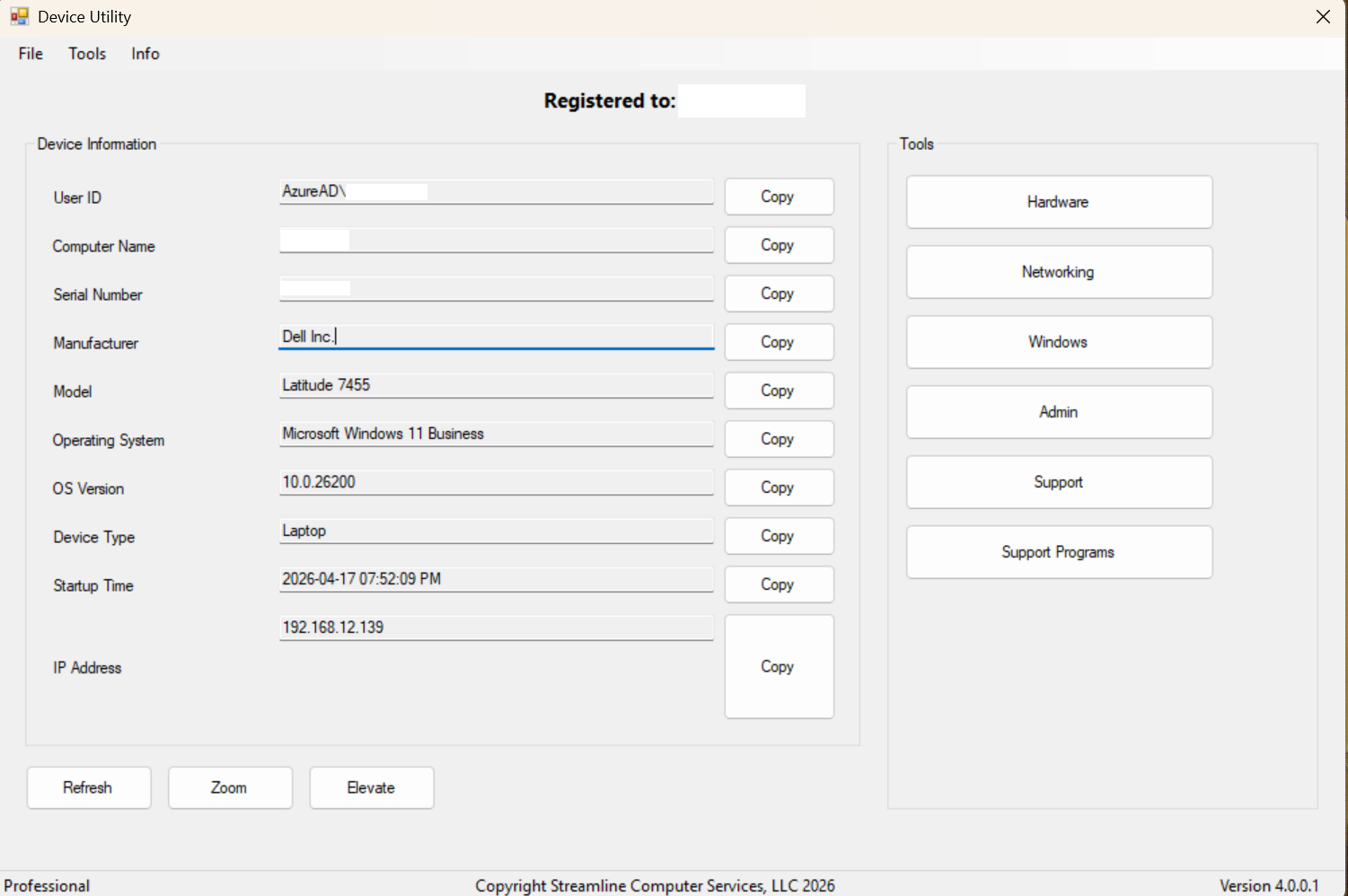
Device Utility is a Windows desktop application built to simplify system visibility, troubleshooting, and support.
Designed for both everyday users and IT professionals, Device Utility brings important device information, diagnostics, utilities, and support-focused tools into one clean, centralized interface. Instead of jumping through multiple Windows menus and tools, users can quickly access the information they need from a single program.
Whether you are checking system details, reviewing troubleshooting information, using built-in utility tools, or working through support tasks, Device Utility is built to make the process easier and more efficient.
The Administrative Side of Device Utility
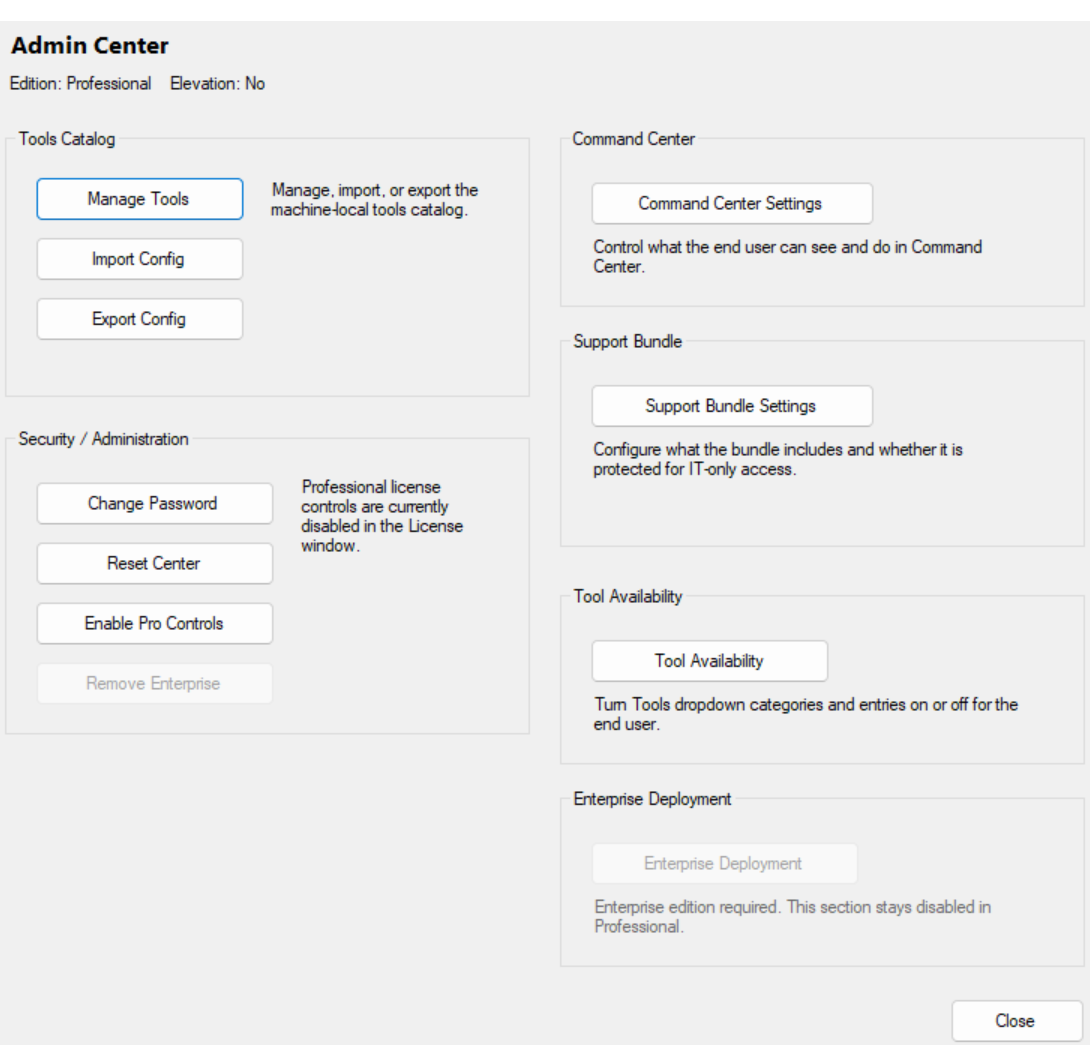
The Admin Center is the secured administrative side of Device Utility. It is designed for controlled configuration and management, giving authorized users access to settings such as tools management, configuration import/export, security controls, password changes, reset options, and dedicated Command Center controls. It acts as the main control point for machine-wide, Device Utility administrative settings, helping IT teams manage how advanced features are made available to end users.
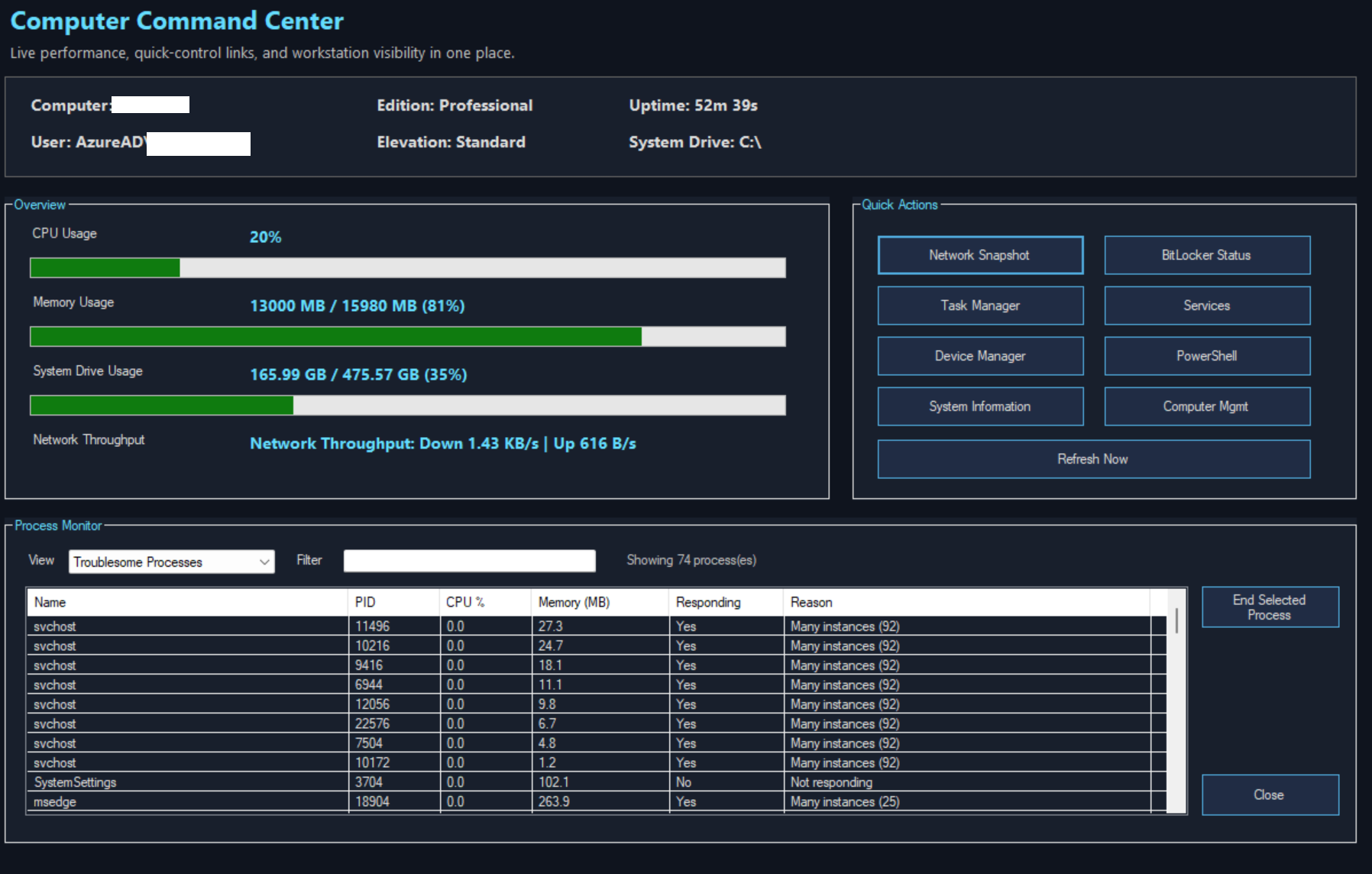
The Command Center is Device Utility’s advanced dashboard for deeper system visibility and control. It is designed as a clean, professional interface for monitoring key system activity, reviewing processes, and accessing quick actions from one place. By default, it can focus on troublesome processes rather than overwhelming users with everything at once, while still allowing deeper visibility when enabled. It is intended to give users and administrators a more powerful, centralized way to monitor performance, review system activity, and work through support or troubleshooting tasks.
Frequently Asked Questions
How do I Unlock all of the features?
To unlock all Device Utility features, you can contact Streamline Computer Services, LLC directly or purchase a Professional license through our website once it becomes available. Website availability will be announced soon. We can also offer a One-Time (1) free trail (Demo) of the programs Professional Features for 14 days.
How much does a Pro License Cost?
A Professional License will cost $14.99 per year for the currently active version. A lifetime license will cost $49.99 one time and is good forever, for the current version active at the time of purchase.
TBA
THIS FAQ TO BE INPUT AT A LATER TIME
TBA
THIS FAQ TO BE INPUT AT A LATER TIME
Feature Guide
Search, browse, and explore what each feature does, how it works, and how it can be used in everyday or IT environments.